Rust memory cell circuit
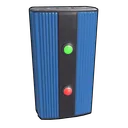
One button sets the memory cell and the other resets it: it remembers the last one pressed. Output lights one lamp and Inverted Output the other.
How to wire it
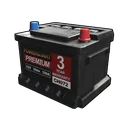
- Small Rechargeable Battery "Power Output" → Splitter "Power In"
- Splitter "Power Out 1" → Memory Cell "Power In"
- Splitter "Power Out 2" → Button "Power In"
- Splitter "Power Out 3" → Button "Power In"
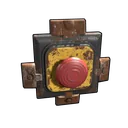
- Button "Power Out" → Memory Cell "Set"
- Button "Power Out" → Memory Cell "Reset"
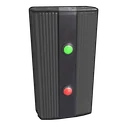
- Memory Cell "Output" → Simple Light "Power In"
- Memory Cell "Inverted Output" → Simple Light "Power In"
Ready circuits
Open one in the editor, test it and change it.
- Solar turret
- SAM site
- Button door
- HBHF tesla trap
- Night lights
- Battery backup
- Fuel generator smart switch
- AND gate
- OR gate
- XOR gate
- Memory cell
- Counter
- Seismic sensor alarm
- Turrets with branches
- RF door
- Farm irrigation
- Water purifier with pump
- Water catcher to barrel
- Fluid switch pump
- Item sorter
- Auto furnace
- Auto crafting
How Rust electricity works
Power in Rust is pushed, not pulled: a source sends everything it makes down the wire, and each component decides what to pass on. A splitter divides what comes in evenly between the outputs that have a wire, without looking at what each one needs; whatever isn't used is lost. A branch sends a fixed amount out of Branch Out and the rest straight on.
Batteries are the exception that makes bases work: a battery always pushes its full output (15, 50 or 100), but it only spends what the things wired after it actually use. That's why a battery feeding a turret and a light through a splitter drains 11 per second, not 50. It charges at 80% of what comes in.
Most components that only route power use none: splitters, branches, switches, timers, counters and logic gates. Lights, sensors, RF and door controllers use 1, the auto turret 10, the SAM site 25. A component that gets less than it needs doesn't run and doesn't spend anything.